Genealogy, beautifully rendered

Every name a chapter.
Every branch a story
worth keeping.

Connect your FamilySearch.org account to explore your ancestry through hand-crafted fan charts, traverse generations as if turning the pages of an old album, and take your tree with you in clean, modern GEDCOM 7.0.

7
Generations visualized
7.0
GEDCOM standard supported
24×36
Print sizes available
100%
Your data, your control

Three ways to hold your history.

From digital records to something you’d hang on the wall. We give your existing FamilySearch tree somewhere beautiful to live — on screen, on paper, and in a file you actually own.

01

Walk your tree, branch by branch.
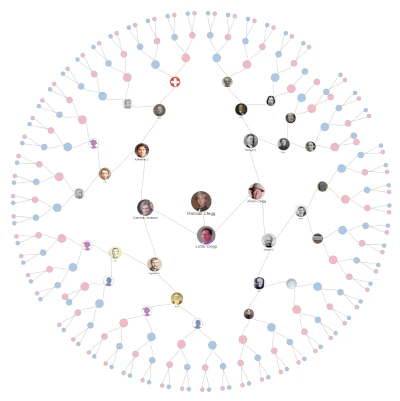
Pan, zoom, and follow the lines as far back as your records reach. Synced live with your FamilySearch tree — births, marriages, departures, all in their place.

Changes you make on FamilySearch sync automatically. No imports, no exports, no syncing button to remember.

Live sync with FamilySearch.org
02

Print a fan chart worth framing.

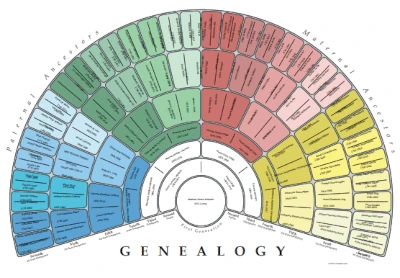
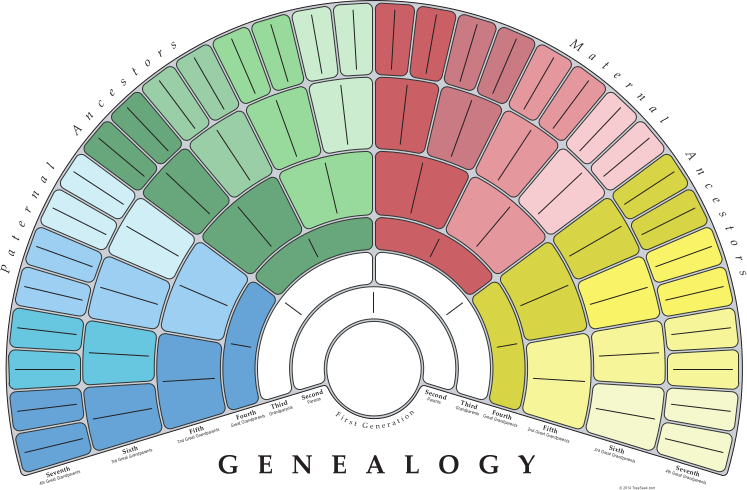
THE orignal Fan Chart — generations spiral outward in painterly arcs of color. Designed by hand 20 years ago. Export print-ready, gallery-fit.

Export to high-resolution PDF at common print sizes, from desk-ready to gallery-scale.

12×18 · 18×24 · 24×36 inches
03

Take it with you in GEDCOM 7.0.

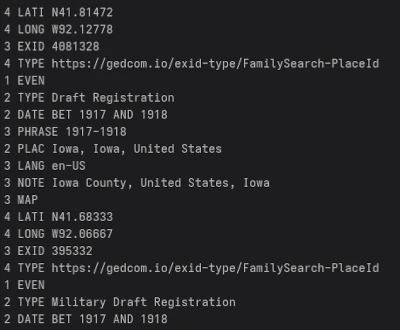
Your tree, your data — exported in the latest GEDCOM standard. Open it in any genealogy tool, archive it for your grandchildren, or just keep a copy on your own shelf.

Fully UTF-8, schema-valid, and built on an open standard you can trust to outlive any single piece of software.

UTF-8 · Schema-valid · Open standard
Get started

Begin with FamilySearch.

Sign in with the credentials you already have. Free to explore your tree, free to download your GEDCOM — you only pay if you order a printed chart.

  • i. Sign in securely with your existing FamilySearch credentials — we never see your password.
  • ii. Your tree loads in seconds. Explore, zoom, and click into any individual record.
  • iii. Generate a fan chart or download a GEDCOM file whenever you're ready.